

Data Cabling in Terrigal, Fixing the Dead Spots and Dropouts WiFi Can't
When WiFi Isn't the Problem the Plan Is
The video call freezes at the worst possible moment, the stream drops to a blur, and the connection that works fine in one room is useless in another. Most home internet frustration isn't a slow plan, it's WiFi being asked to do more than it reliably can. Upgrading the internet plan rarely fixes a dead spot at the back of the house, because the bottleneck isn't the speed coming into the home; it's how that signal travels around it. For a household that works, studies, and streams from home, hardwired data cabling is the fix that WiFi improvements alone can't deliver.
Why WiFi Drops Out
WiFi is a radio signal, and radio signals weaken through walls, floors, and distance. A router in one corner of the house struggles to reach the far bedroom or the room two walls away, and the signal competes with microwaves, neighbouring networks, and the growing number of devices in a modern home all talking at once. Adding extenders helps a little but often just relays an already-weak signal further, and a mesh system improves coverage without ever matching the steadiness of a wire. The rooms that need a reliable connection most, the home office, the study, the room with the TV, are frequently the ones furthest from the router.
What Hardwired Cabling Changes
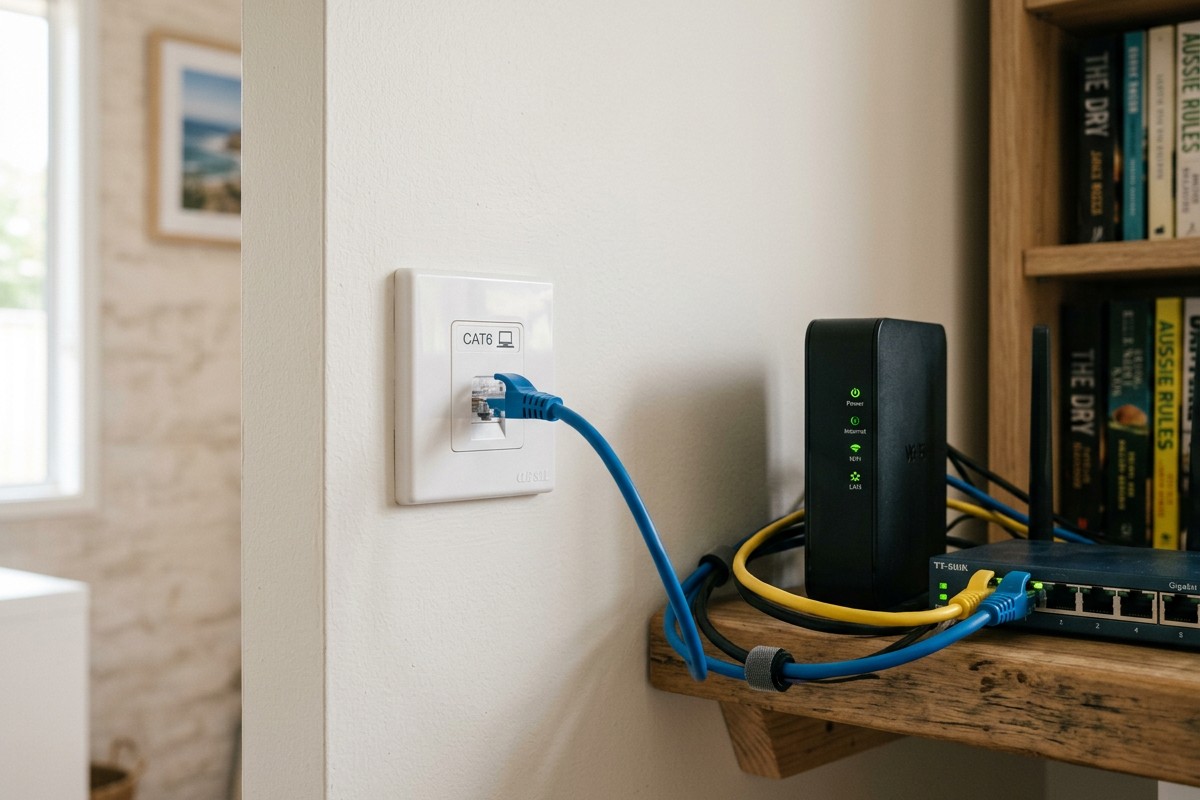
A wired connection runs a dedicated cable from the router or a network switch straight to a wall point in the room that needs it. There's no signal to weaken, no competition, and no dropouts, the connection is as steady as the plan allows. The cabling runs through the roof space and wall cavities, like other fixed wiring, ending in a neat wall-mounted data point rather than a cable taped along the skirting. Wired and wireless then work together: hardwired points for the devices that sit in one place and need reliability, WiFi for the phones and tablets that move around the house. A wired point can also feed a wireless access point in a far part of the home, extending strong WiFi to where the signal never used to reach.
Where the Points Go
The most useful data points are at the desks where people work, behind the main TV for streaming devices and consoles, and in any room set up for study or gaming. A point near where the router lives is worth having too, so a central switch or a wireless access point can be added later. Planning the locations around how the household actually uses the internet matters more than running cable everywhere, a handful of well-placed points usually solves the problems that matter without wiring every wall.
Why CAT6 Is the Standard
CAT6 is the current recommended cable standard for Australian homes. It carries faster speeds and more bandwidth than the older CAT5e it replaced, and it comfortably handles current internet plans with headroom for future ones. Installing CAT6 now means the cabling won't be the bottleneck as connections get faster, which matters because the cable is the part of the network most awkward to replace once the walls are closed. Spending a little more on the cable standard at install time avoids redoing the work in a few years. Where it is easy to do, running a second cable to the most important points during the install is cheap insurance, it leaves a spare if one is ever damaged and supports faster network setups down the track without opening the wall again.
Frequently Asked Questions
Can data cabling be added to an existing home, or only a new build?
It can be retrofitted into an existing home, the cables are run through the roof space and walls. A new build or renovation is the easiest time to do it, while the walls are open, but a competent installer can run cabling into a finished home with minimal disruption.
Will wired points replace my WiFi?
No, they work alongside it. Hardwired points handle the stationary devices that need reliability, and WiFi continues to serve phones, tablets, and anything that moves around the house. In many homes a wired point is also used to place a wireless access point where coverage was weak.
How many data points should a home have?
At a minimum, one at the main work desk and one behind the living room TV. Beyond that, it depends on how many rooms need a reliable wired connection and how the household is laid out. The installer can help map the useful locations.
Does a wired connection really make a difference for video calls?
Yes. A wired point removes the dropouts and lag that come from a weak or congested WiFi signal, which is exactly what causes calls to freeze and streams to stutter. For anyone whose work depends on a stable connection, it's one of the most worthwhile upgrades in the home.
Sick of WiFi Dropouts in Terrigal?
Get a free, no-obligation site assessment from a local licensed electrician serving Terrigal and the Central Coast.